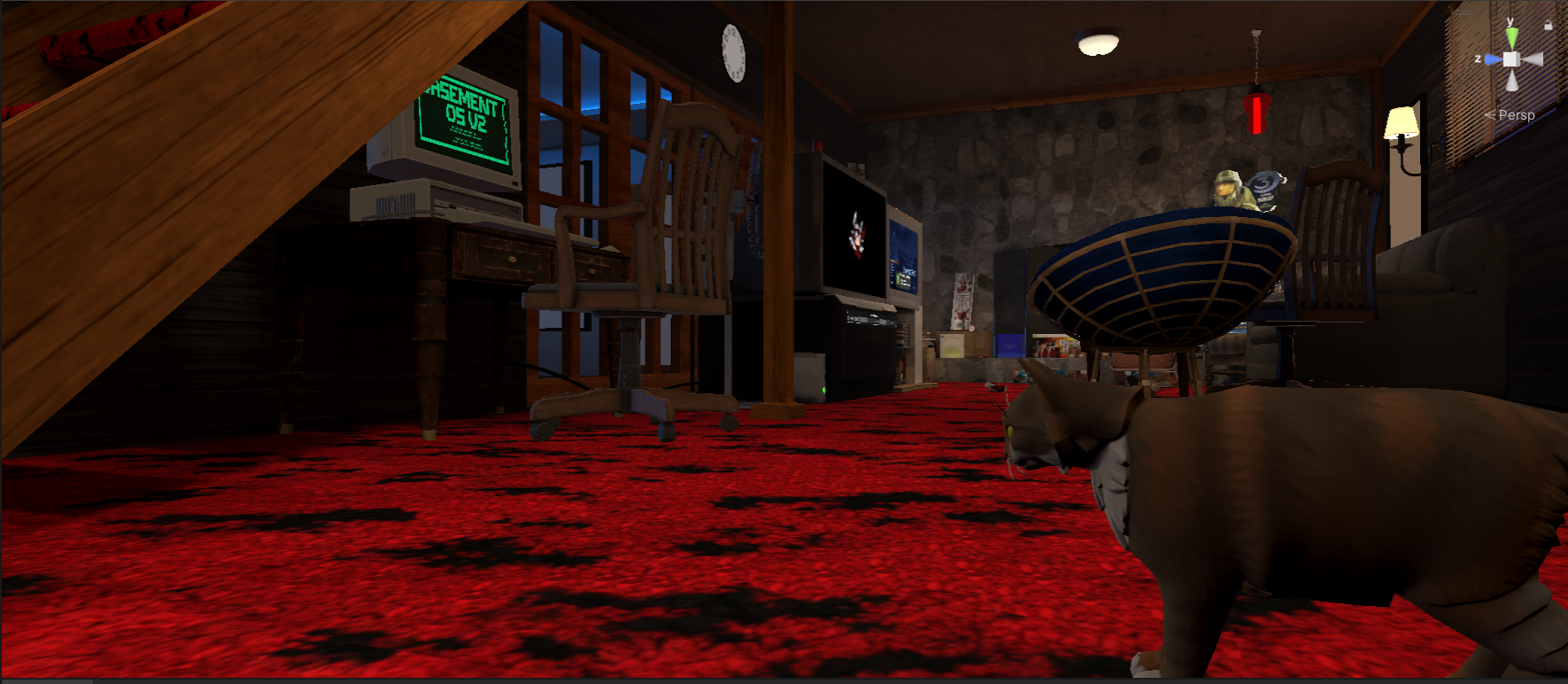
BASEMENT OS
[ NEXT-GEN AI DEVLOG ]
Content Generated by Developer-Led AI Workflows. Reviewed by a Human-In-the-Loop.
Please wait while your computer shuts down...
IT'S NOW SAFE TO TURN OFF YOUR COMPUTER

C:\BASEMENT\DEVLOG.LOG

December 29, 2025

Introducing BBP: An AI-Driven Issue Prioritization System

After successfully having Claude Code autonomously implement music.exe—a Basement OS terminal app that integrates with ProTV 3.x for real-time playlist browsing and playback control—I wanted to scale that approach. Instead of picking issues randomly or by gut feeling, what if AI could act as a SCRUM master and pre-spec everything?

The Challenge

With 58 open issues across features, bugs, concepts, and epics, there was no clear way to know:

  • Which issues Claude Code could handle autonomously
  • Which had the highest “basement nostalgia” impact
  • How to balance effort vs. payoff

I needed a system that would lay out work explicitly, so I could return and start building immediately.

The Solution

I created Basement Build Priority (BBP)—a scoring formula:

BBP = (Agentic_Feasibility × Nostalgia_Score) / Story_Points
MetricRangePurpose
Agentic Feasibility0-100%Can Claude + Unity MCP complete this?
Nostalgia Score1-10Does it make the basement feel alive?
Story Points1-21Fibonacci effort scale

Claude analyzed all 58 issues, assigned scores, and applied a “Good Agentic Build” label to 36 issues with ≄70% feasibility. The result: a prioritized backlog where high-BBP items are high-automation, high-nostalgia, low-effort wins.

Why It Matters

This shifts Claude from “assistant” to “project manager.” Instead of asking “what should I work on?”, the backlog is pre-scored and ready. If the Agentic + MCP combo continues to prove itself (like it did with music.exe), it will take over a meaningful portion of the workload—in theory I could assign Claude to work on agentic issues while I focus on the non-agentic ones. My bandwidth is now “monitoring and review” rather than code, integrate, test, verify.

The Paradigm Shift

This represents the third evolution in my AI journey:

PhaseMindsetLimiting Factor
Before AI”What can I build?”Skill
With AI”What should I build?”Imagination
Agentic AI”What will Claude build while I review?”Bandwidth

Key Insight: Pre-scoring issues with AI as SCRUM master (and reviewing its accuracy) means when I dedicate time to build, I can put Claude to work on low-impact agentic issues while I tackle the highest-impact ones—and have a head start. It could in theory complete an issue 60% of the way if it has 60% agentic feasibility, and I only have to finish the last 40% instead of 100%.

December 26, 2025

★ MUSIC.EXE: 90% AI-Coded ProTV Integration for Basement OS

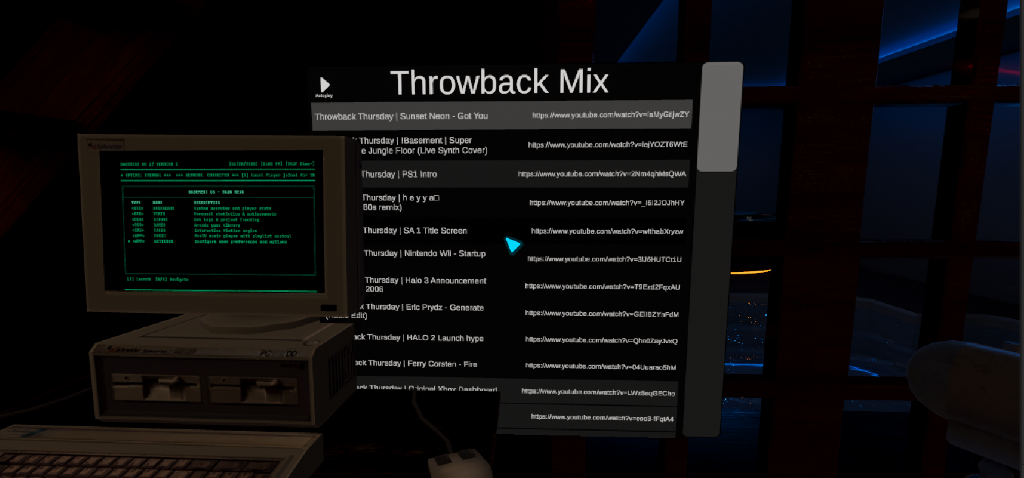
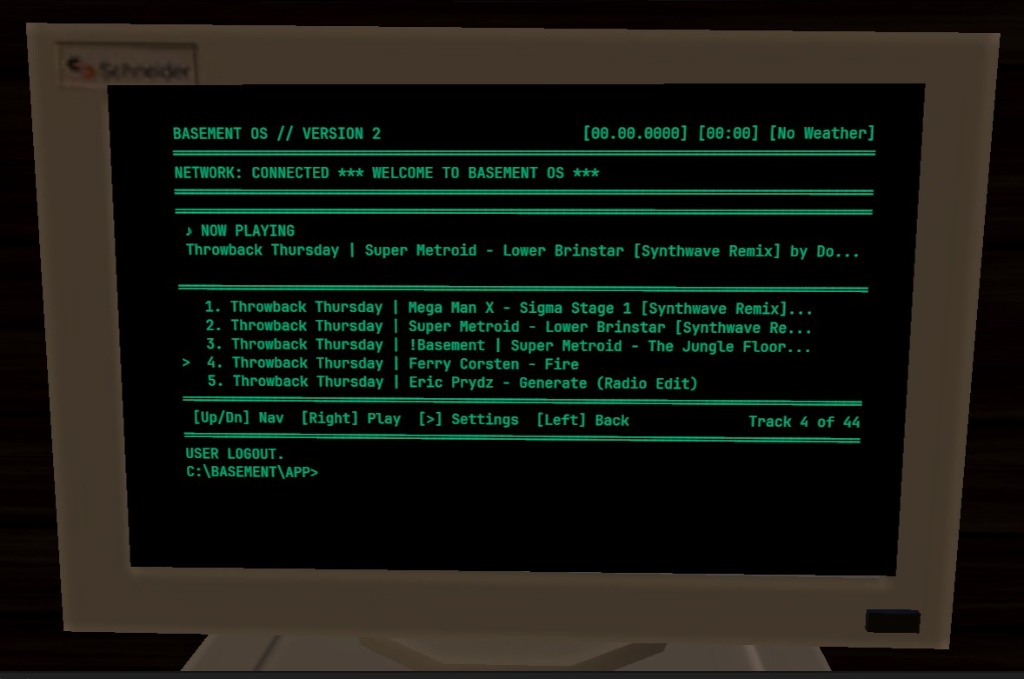
The default ProTV playlist UI worked, but doesn’t match the asthetic of Lower Level 2.0, which is realism and nostalgia. I wanted a terminal-native music player that matched the DOS aesthetic and could be navigated with keyboard or joystick controls. Enter MUSIC.EXE: a fully functional ProTV music player app, coded 90% by AI with my guidance.

Before: The default ProTV playlist UI isfunctional but out of place in the Lower Level 2.0 aesthetic

The Challenge

The real challenge wasn’t coding, it was picking a task that AI could actually accomplish with its “hands and eyes.” This was the first real test of my Full Stack AI Workflow architecture: could Claude Code, equipped with Unity MCP tools and custom Editor scripts, autonomously implement a complete feature?

ProTV integration was the perfect candidate:

  • Well-documented API (ProTV 3.x Documentation)
  • Clear input/output patterns (IN_/OUT_ variable injection)
  • Isolated scope (one app, one integration point)

The key was creating a multi-layer prompt that gave Claude the domain expertise it needed. Rather than hoping it would figure out ProTV’s non-standard APIs, I front-loaded the knowledge:

You are an expert ProTV 3.x integration specialist for VRChat UdonSharp development. You understand the critical differences between event-driven and polling-based integration patterns, and you know the exact APIs, variable conventions, and pitfalls of ProTV’s plugin architecture.

CRITICAL RULE: NEVER GUESS. If you don’t know an API or are uncertain about ProTV behavior, read the ProTV source, check existing implementations, or ask for clarification. DO NOT hallucinate ProTV APIs.

The Solution

The development spanned December 17-26, 2025, across three sessions:

Session 1 (Dec 17): Initial implementation 497 lines of C# for playlist browsing, track navigation, and playback control. Code compiled, but Claude hit a wall: Unity MCP tools couldn’t set object references in the Inspector.

Session 2 (Dec 25): The breakthrough. Instead of declaring “manual intervention required,” Claude remembered the project’s prime directive: “If you get stuck, can you resolve the roadblock with a Unity Editor script?” It expanded SetupDTAppMusic.cs to handle all wiring autonomously with no Inspector clicks needed.

Session 3 (Dec 26): Final integration. Converted from polling-based to event-driven ProTV integration, fixed the sortView shuffle index mapping, and verified end-to-end playback.

The result: 473 lines of production code, plus Editor automation, delivered with ~10% human intervention (mostly debugging ProTV’s undocumented sortView behavior).

Why It Matters

This proves the viability of full closed-loop autonomous development for non-trivial features:

  1. AI as Workflow Architect — The 90/10 split is real. AI handles the bulk of implementation while I focus on architecture decisions, debugging edge cases, and validation.

  2. Reusable Agent Patterns — The ProTV prompt I created isn’t throwaway. It becomes a reusable agent/skill for future ProTV integrations. Each solved problem compounds into institutional knowledge.

  3. Scalable Approach — If MUSIC.EXE works, the same pattern applies to other Basement OS apps: identify scope, create domain-specific prompts, let Claude execute.

Key Insight: AI might not achieve 100%, but if it consistently delivers 90%, I only need to contribute the remaining 10%. That’s a 10x multiplier on my development capacity.

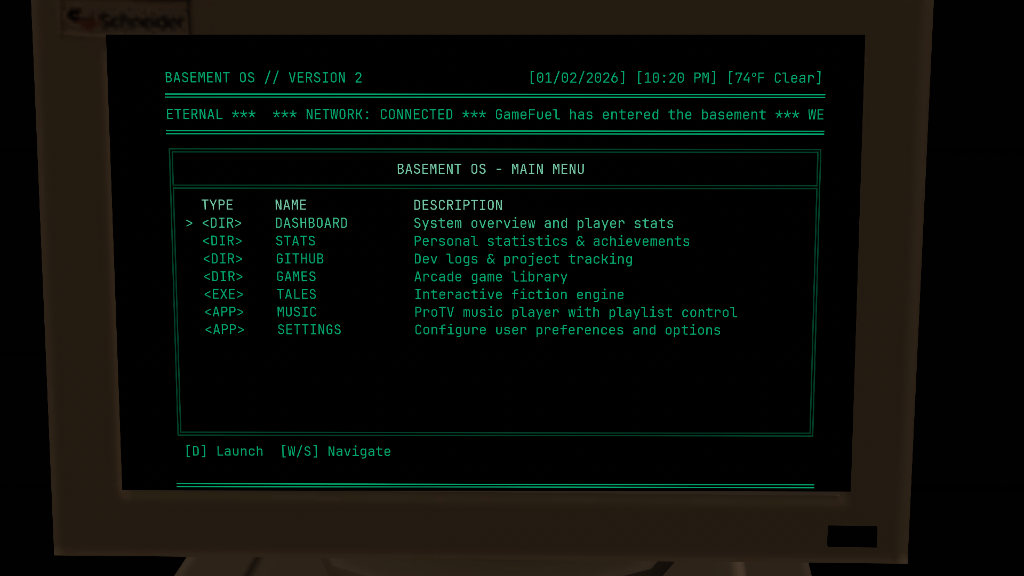
After: MUSIC.EXE running in Basement OS—terminal-native playlist browser with keyboard navigation

December 20, 2025

Taking Control: My NAS Setup

I’m migrating my data off cloud services (Google Drive, Dropbox, Google Photos) to local storage.

Image

The Foundation:

  • Synology DS224+ NAS
  • 2×8TB drives in RAID 1 (mirrored for redundancy)
  • 8GB RAM
  • Running Immich for our 21-year, 85K+ photo library

Cloud storage costs $10-20/month indefinitely. A NAS is a one-time hardware cost with no monthly fees, and my data stays completely under my control—no third-party access, processing, or terms-of-service changes.

Hosting my own data means I’m not limited to any one platform for file and photo hosting. This opens up a lot of new exciting opportunities for exploring open source solutions.

One specific example is migration from Google Photos to Immich.

Google has a habit of changing their website interfaces (from Picasa, to Google Photos and Google Music to YouTube Music) and they always seem to be lacking features to previous interface had.

Open source software Immich replicates Google Photos functionality (facial recognition, search, automatic backups) on my own hardware. I keep the convenience, lose the ongoing costs and privacy trade-offs.

Used googles Takeout service and then Immich-go for the import process. When I wake up I will have a new photo library to enjoy.

December 11, 2025

Devlog System Simplification Analysis

The Problem: Over-Engineering the Documentation

I realized that my initial plan for the Automated Devlog System was becoming a project in itself. The original design involved:

  • 3 different templates
  • Automated impact scoring algorithms
  • 4 separate Python scripts
  • AI “guessing” why things mattered

It was estimated to take 8-11 days to build. That’s too much overhead for a system meant to save time.

The Solution: 90% Simplification

I re-evaluated the requirements against the core mission: chronicling the AI skill journey. I realized that the developer (me) always knows what matters—I just need help structuring it.

The New “Lite” Workflow:

  1. One Master Template: No more auto-classification logic. I pick the type ([Milestone], [TIL], [Meta]).
  2. Dialogue > Algorithms: Instead of predicting importance, the system will just ask me: “What’s your one-liner takeaway?” and “Why does this matter?”.
  3. AI Synthesis: The agent takes my raw reflection and structures it into the narrative format.

Why It Matters

This reduces the build time from two weeks to ~1 day.

It shifts the focus from building complex logic to capturing authentic learning moments. By replacing “AI guessing” with “Human reflection,” the devlogs will be more insightful and personal, while still leveraging AI for the heavy lifting of formatting and publishing.

Key Insight: Automation shouldn’t replace the thinking—it should remove the friction of documenting that thinking.

December 7, 2025

★ Full Stack AI Workflow - The Complete System

Two breakthroughs in one day. This is the moment everything clicked.

Morning - The Assembly Line: Launched my first agent swarmMultiple AI agents working in parallel on different tasks simultaneously with custom agent.md persona files. Nine specialized agents building different Basement OS modules simultaneously - DT_Core, DT_Shell, DT_Theme, weather app, GitHub app, each with injected expertise. This is horizontal scaling - volume without sacrificing architecture.

First agent swarm with 9 parallel agents and custom agent.md files

The Gap: Agents could write perfect code, but Unity wouldn’t compile it. Files sat on disk, ignored. I was still manually clicking “Compile” in the Inspector. The automation loop was broken.

Afternoon - The Missing Link: Found UdonSharpAssetRepair.cs - the linchpin I’d been missing. This utility script forces Unity to acknowledge programmatically-written files, generates the .asset files, and triggers compilation. It’s the bridge between “AI writes code” and “Unity actually runs it.”

Full automation achieved with UdonSharpAssetRepair as the missing link Creating comprehensive SOP documentation for autonomous agent workflow Documentation complete - CLOSED_LOOP_AGENT_SYSTEM.md and system files

The Complete System: Now Claude writes code → triggers UdonSharpAssetRepair → Unity compiles → enters Play mode → reads console logs → fixes errors → repeats. Zero human intervention. The swarm builds the car fast (volume). The automation pipeline ensures it doesn’t explode when you turn the key (quality assurance).

The Learning: This is tooling engineering. The swarm was impressive, but useless without the testing loop. UdonSharpAssetRepair is a 200-line script that unlocks millions of dollars in productivity. Finding these linchpins - the small pieces that complete the system - that’s the skill companies pay for.

Why It Matters: I went from “AI-assisted developer” to “AI workflow architect.” The difference? I’m not just using tools - I’m building the automation that makes the tools useful. That’s the career transition I’m chasing.

December 6, 2025

Meta-Review: Terminal 2.1 Spec Quality

After building the Terminal 2.1 spec, I turned Claude on myself. “Review this spec against best practices - Spec-Driven Development, TDD guidelines, Hermeneutic Circle methodology. How does it hold up?”

The results were humbling. Strong marks for Hub-Spoke Architecture ✅, 600-line rule compliance ✅, and UdonSharp checks ✅. But big gaps: no TDD integration ❌, missing Hermeneutic Circle analysis ❌, incomplete pre-commit workflow ❌.

Alignment analysis showing Terminal 2.1 spec strengths and gaps

This is how you get better - critique your own work with the same rigor you’d apply to someone else’s. The spec demonstrates solid architecture thinking, but I’m not validating it with tests or considering WHOLE ↔ PART impacts explicitly. Those are fixable gaps.

Using AI to review your own methodology is meta-learning at its finest. It’s not about getting praise - it’s about finding the blind spots.

December 6, 2025

★ Full Closed-Loop Automation

This is a big one. I’ve been working with Claude CodeAn AI coding assistant by Anthropic that can read, write, and execute code autonomously to build out the Basement OS kernel, and we finally cracked the automation problem.

The Problem: With UdonSharpA C# to Udon compiler that lets you write VRChat scripts in familiar C# syntax instead of visual programming, AI can write perfect code that won’t run. Unity needs to generate .asset files, attach them to GameObjects, and compile everything. My first two attempts failed because Claude would generate code with no way to test it. I was still the button-clicker.

The Solution: Unity MCPModel Context Protocol - a way for AI agents to communicate with Unity Editor directly gave Claude hands. Now it does the full loop: write script → trigger compilation → check errors → attach to GameObjects → enter Play mode → verify. Zero human intervention.

The Learning: This taught me that real automation isn’t about speed - it’s about eliminating the feedback loop. I went from “human as button-clicker” to “human as architect.” That’s the leadership transfer I’m after. As HumanLayer puts it, good AI tooling is about leveraging stateless functions correctly.

Why It Matters: This pattern applies beyond VRChat. Any runtime environment (web apps, mobile, game engines) needs autonomous test → fix → verify loops. Companies pay for people who build these internal tools.

December 3, 2025

Refactoring CLAUDE.md

A coworker sent me HumanLayer’s guide to writing good CLAUDE.md files, and I couldn’t help myself - had to try it immediately.

Opened Claude Opus and fed it my entire 953-line CLAUDE.md for review, citing the HumanLayer article as the comparison benchmark. “How does mine stack up against their recommendations?”

Opus came back with a refactor plan: too many instructions causing “instruction-following decay,” embedded code examples getting stale, mixed universal and task-specific rules. The solution? Modular structure - keep CLAUDE.md lean (~150 lines) and create reference documents in Docs/Reference/ that Claude can pull when needed.

Claude Opus refactor analysis showing before/after comparison

This is how I learn best. Read something interesting, apply it immediately while it’s fresh. No analysis paralysis, just iteration. By the end of the session, I had a new doc structure that made every future Claude conversation more effective.

Meta-learning: using AI to improve how you work with AI. That’s leverage.

November 29, 2025

Symbolic Games POC

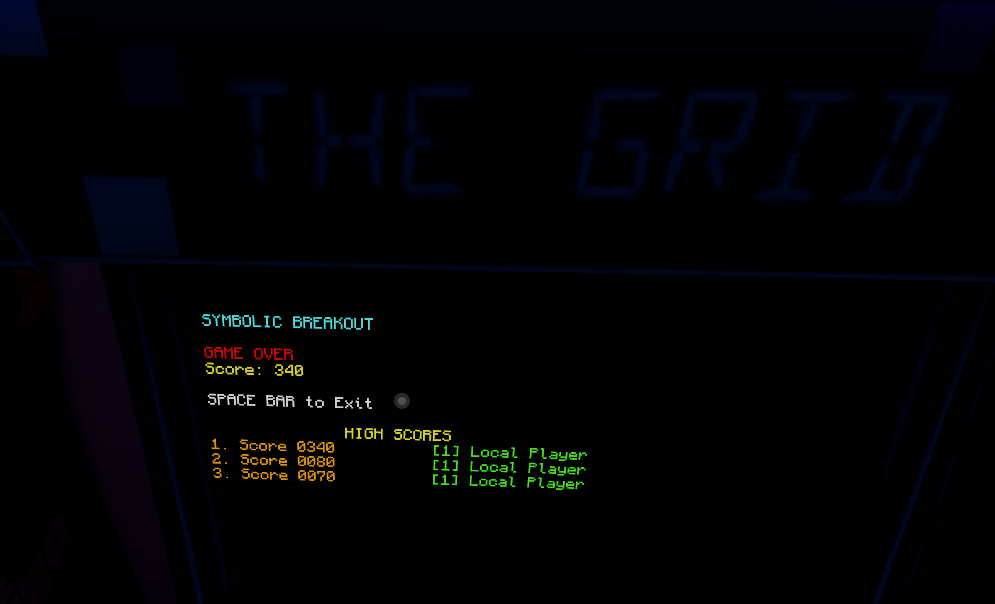
Experimented with terminal-based games using unicode characters instead of sprites. Built breakout and pong prototypes that render using block characters.

Interesting concept, but after testing found sprites are significantly less resource-intensive on Quest. Keeping the code for reference but won’t ship in prod.

[![Symbolic rendering engine working](/Manual Change Logs and Images/images/Claude Code Jam Session November/11-29-25 Symbolic Rendering Engine WORKING.png)](/Manual Change Logs and Images/images/Claude Code Jam Session November/11-29-25 Symbolic Rendering Engine WORKING.png)

[![Symbolic breakout game](/Manual Change Logs and Images/images/Claude Code Jam Session November/Symbolic Breakout .png)](/Manual Change Logs and Images/images/Claude Code Jam Session November/Symbolic Breakout .png)

November 15, 2025

Terminal Menu System Complete

In a development instance I ran a POC that replaces the original auto-cycling display with an actual interactive menu. Players could use their movement controls to navigate up/down through options and select with the interact button.

Had to implement player immobilization when they’re at the terminal - otherwise pressing up/down would move your avatar AND the cursor. Using VRCStation for this also solves the “walking away mid-interaction” problem.

Also extracted the weather module into its own script. The terminal now pulls real-time weather data from my GitHub Pages endpoint and displays it in the header. When it’s actually raining in Fond du Lac, you’ll see rain in the basement too once I figure out how to re-bake the lighting with the shader enabled windows.

November 7, 2025

★ Claude Code + Documentation Sprint

Started my first session with Claude Code - this is a game changer. Instead of copying code snippets back and forth, Claude can directly read my project files, write code, and even help with git commits.

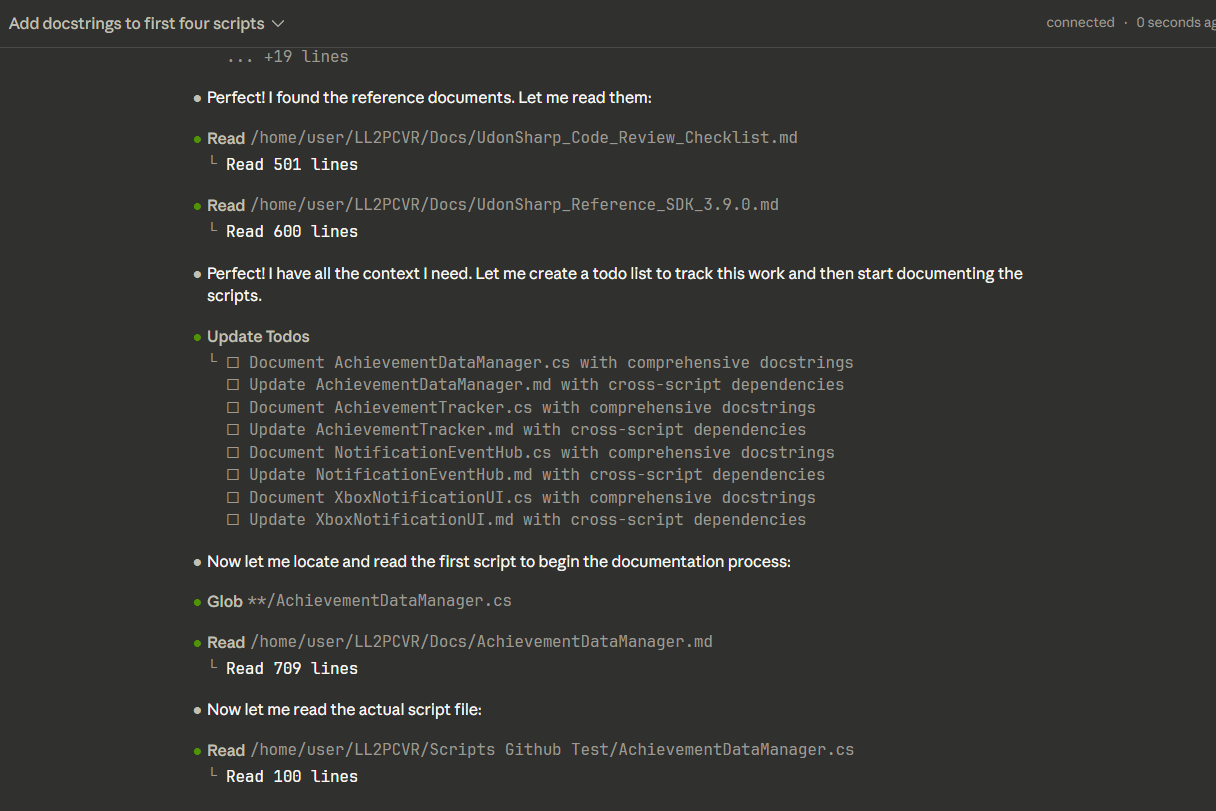
Spent the session adding comprehensive XML docstrings to all major scripts. The AchievementTracker alone went from zero documentation to fully annotated with parameter descriptions and usage examples.

Also started setting up project automation - automatic UdonSharp validation before commits, organized GitHub issues with story points, and established milestones. Treating Claude like a jr developer is really showing how much leadership and project management coordination I have in this area.

[![Adding XML docstrings with Claude Code](/Manual Change Logs and Images/images/Claude Code Jam Session November/Adding Doc Strings 2025-11-07 180219.png)](/Manual Change Logs and Images/images/Claude Code Jam Session November/Adding Doc Strings 2025-11-07 180219.png)

[![First git upload with Claude Code](/Manual Change Logs and Images/images/Claude Code Jam Session November/first upload using git.png)](/Manual Change Logs and Images/images/Claude Code Jam Session November/first upload using git.png)

[![GitHub issue organization](/Manual Change Logs and Images/images/Claude Code Jam Session November/organizing issues using github and roadmap.png)](/Manual Change Logs and Images/images/Claude Code Jam Session November/organizing issues using github and roadmap.png)

October 20, 2025

★ Achievement System Overhaul

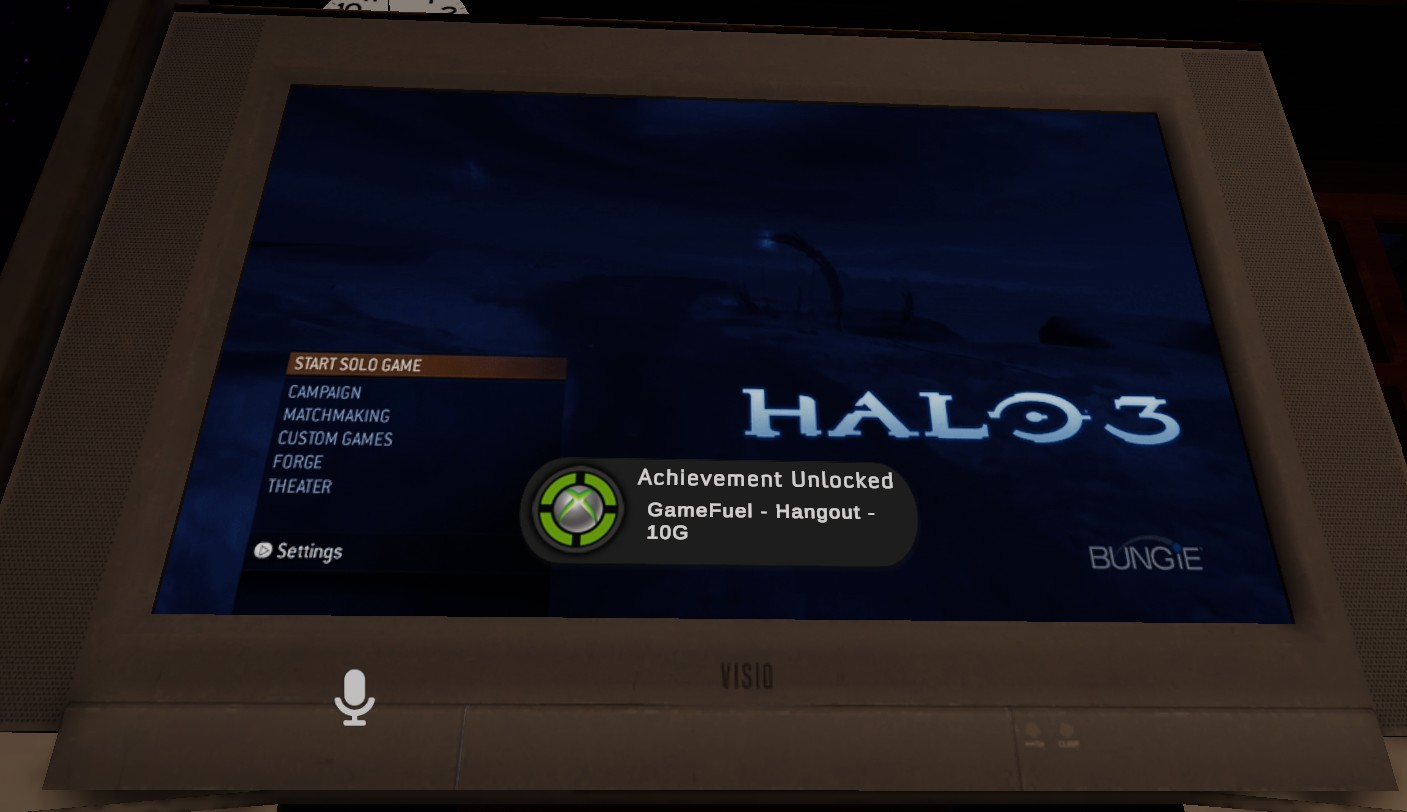
Finally finished the Xbox 360-style achievement system! 19 achievements worth 420G implemented out of 1,000G leaves plenty of room for expansion with future ideas. This matches the original Xbox 360 gamer score point structure. The notifications pop up just like they did on the 360 - that satisfying sound effect and the animated banner!

Using VRChat’s PlayerData API for persistence. This was tricky because you can’t use fancy C# features in UdonSharp - no List<T>, no Dictionary, no LINQ. Everything’s done with arrays and careful indexing.

The FIFO queue for notifications took a few iterations. Originally had a priority system but it felt weird when achievements popped up out of order. The chronological approach matches the “basement live feed” vibe I was going for.

August 10, 2025

★ World Launch Party

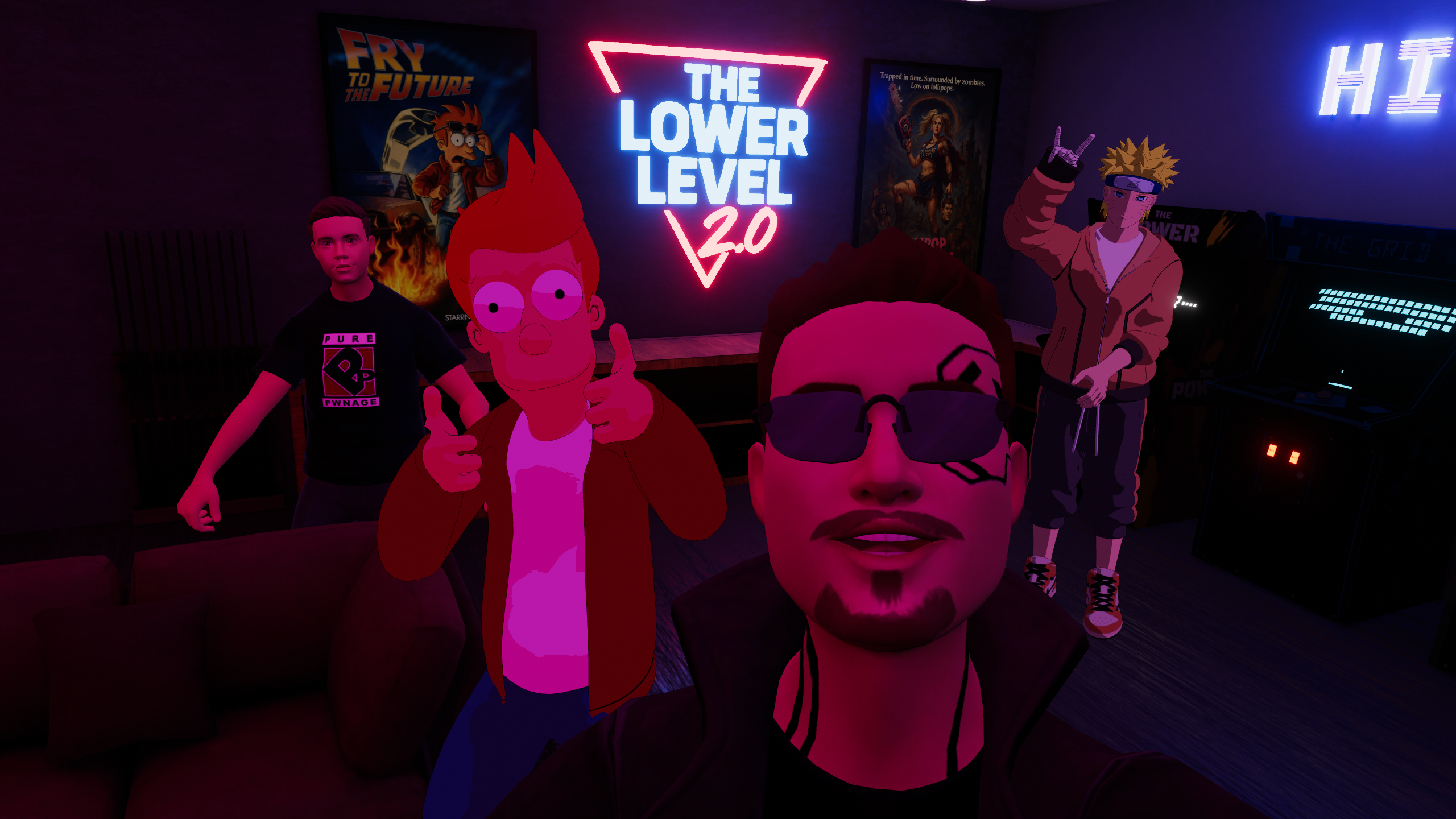
Opened Lower Level 2.0 to the public! Had about 8 friends show up for the launch. Watching the achievement notifications pop as people joined was incredibly satisfying - exactly the vibe I was going for.

Everything worked smoothly - notifications, persistence, the DOS terminal.

[![Launch party screenshot with 8 friends](/Manual Change Logs and Images/images/August 2025/VRChat_2025-08-10_20-58-06.405_2560x1440 launch party.png)](/Manual Change Logs and Images/images/August 2025/VRChat_2025-08-10_20-58-06.405_2560x1440 launch party.png)

[![Achievement notifications during launch](/Manual Change Logs and Images/images/August 2025/hangout verified.jpg)](/Manual Change Logs and Images/images/August 2025/hangout verified.jpg)

August 7, 2025

Weather System + Rain Shaders

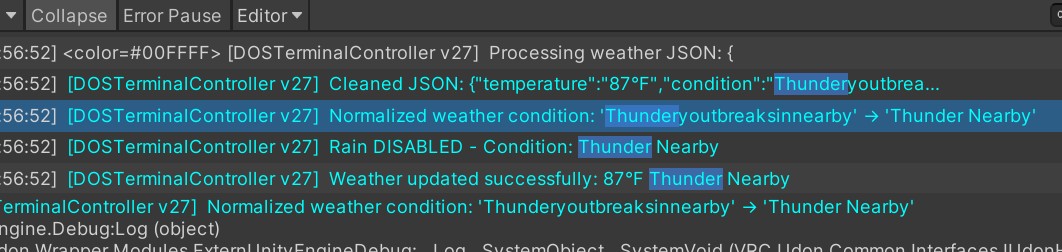
Integrated real-time weather from Fond du Lac, WI using a GitHub Pages JSON endpoint. The terminal displays current conditions and when it’s actually raining outside, the basement windows show rain effects.

Rain shader source: [PLACEHOLDER - Please specify the rain shader source (Unity Asset Store, GitHub repo, custom made, etc.)]

[![Thundery outbreaks weather condition](/Manual Change Logs and Images/images/August 2025/‘Thunderyoutbreaksinnearby’ Screenshot 2025-08-07 195825.jpg)](/Manual Change Logs and Images/images/August 2025/‘Thunderyoutbreaksinnearby’ Screenshot 2025-08-07 195825.jpg)

[![Weather system working on terminal](/Manual Change Logs and Images/images/July 2025/working weather.png)](/Manual Change Logs and Images/images/July 2025/working weather.png)

July 26, 2025

Achievement Icon Design

Finished designing custom icons for all 19 achievements using Photopea.com. Referenced actual Xbox 360 achievement art to match that 2000s gaming aesthetic.

[![Achievement icon sketches](/Manual Change Logs and Images/images/360 Icons/Photo Jul 26 2025, 9 17 32 PM.png)](/Manual Change Logs and Images/images/360 Icons/Photo Jul 26 2025, 9 17 32 PM.png)

[![Custom achievement icons in Unity](/Manual Change Logs and Images/images/July 2025/Custom Icons.jpg)](/Manual Change Logs and Images/images/July 2025/Custom Icons.jpg)

July 19, 2025

Multi-TV Broadcasting System

Got notifications working on all 3 TVs simultaneously! The NotificationEventHub broadcasts to each display independently, so everyone in the basement sees achievements pop regardless of which room they’re in.

Each TV maintains its own FIFO queue and animation timing. Had to be careful with the ProTV prefab integration - it uses a different Canvas setup than standard UI.

[![Notifications working on all 3 TVs](/Manual Change Logs and Images/images/July 2025/Notifications working on 3 Tvs!!!.jpg)](/Manual Change Logs and Images/images/July 2025/Notifications working on 3 Tvs!!!.jpg)

[![Multi-TV setup in basement](/Manual Change Logs and Images/images/July 2025/Multiple TVs.jpg)](/Manual Change Logs and Images/images/July 2025/Multiple TVs.jpg)

July 13, 2025

★ VRChat PlayerData Persistence

Finally got VRChat’s PlayerData API working! Visit counts now persist between sessions. This took way longer than expected because of UdonSharp’s limitations.

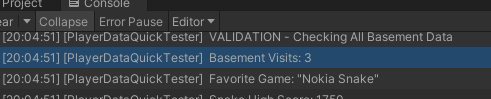
Can’t use Dictionary or List in UdonSharp, so I’m tracking players with parallel arrays. Not elegant, but it works. Successfully tested with 3 visits - data persists across world reloads.

The 11-hour debugging marathon was worth it. This is the foundation for the entire achievement system.

[![PlayerData persistence working](/Manual Change Logs and Images/images/July 2025/Persistence Working.jpg)](/Manual Change Logs and Images/images/July 2025/Persistence Working.jpg)

[![Successfully tracking 3 visits](/Manual Change Logs and Images/images/July 2025/tracking 3 visits.png)](/Manual Change Logs and Images/images/July 2025/tracking 3 visits.png)

July 10, 2025

First Achievement Unlocked

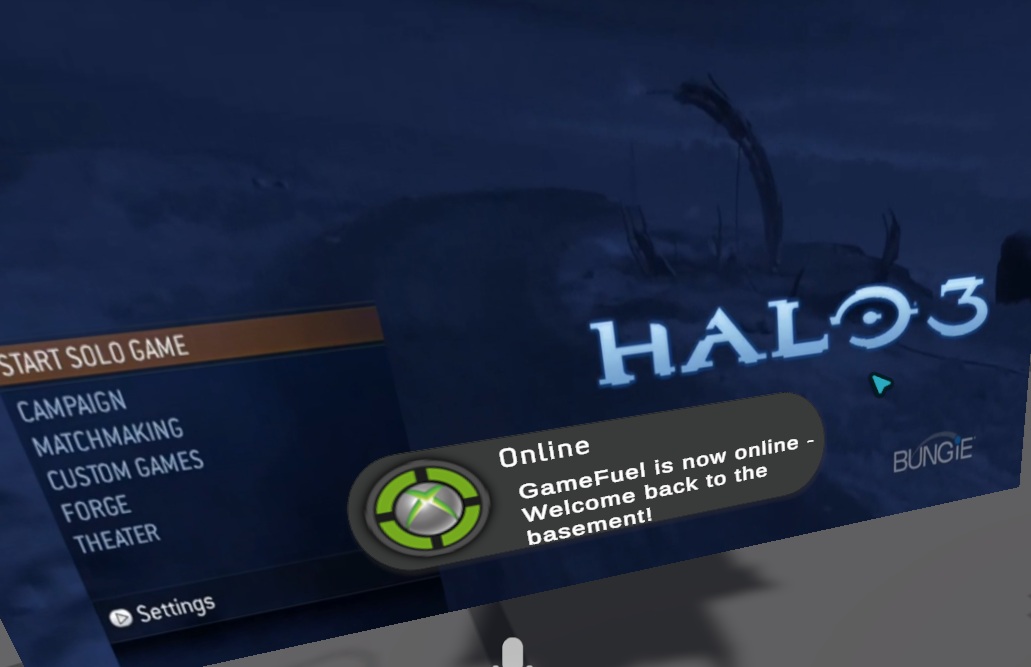
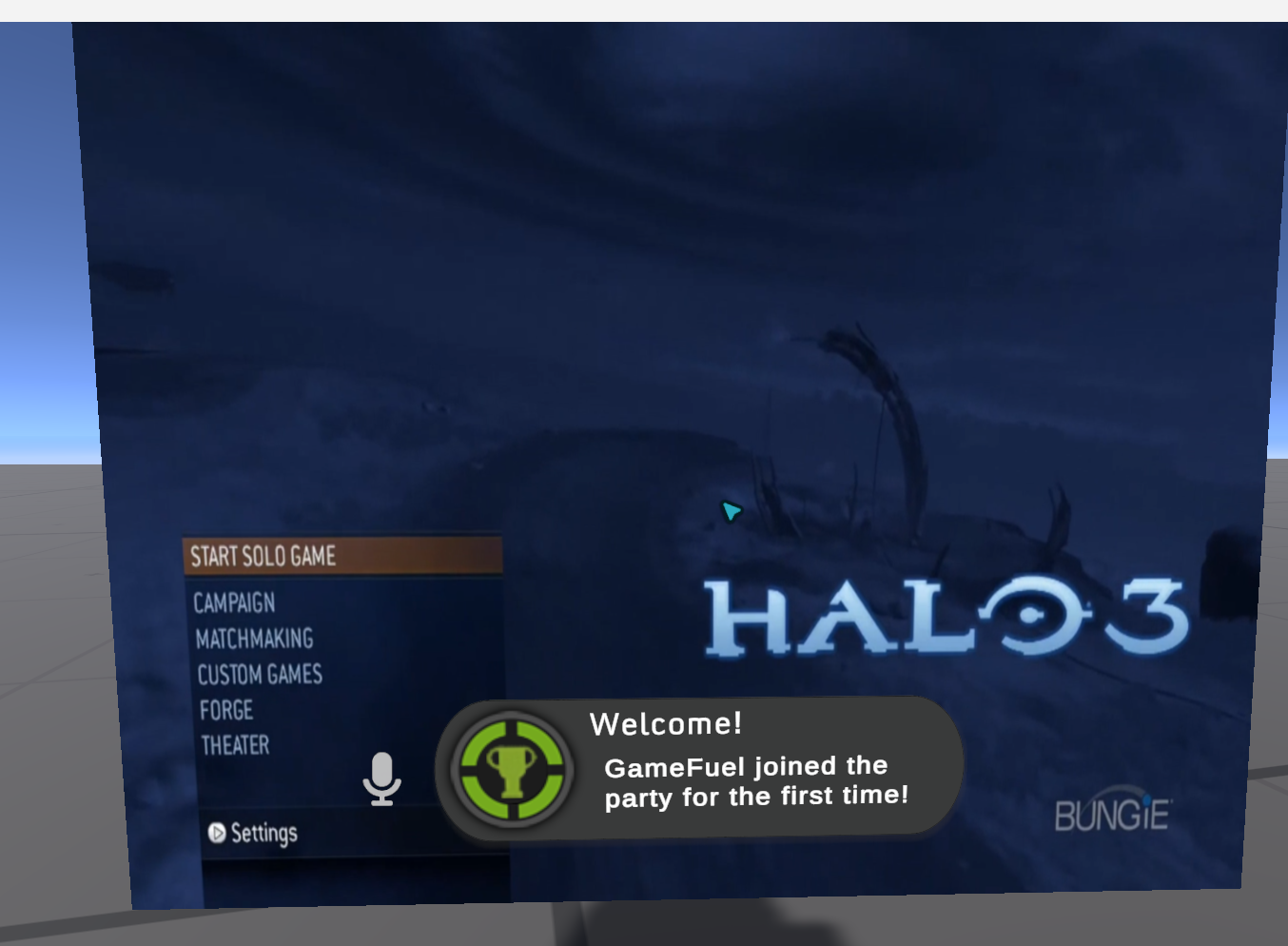
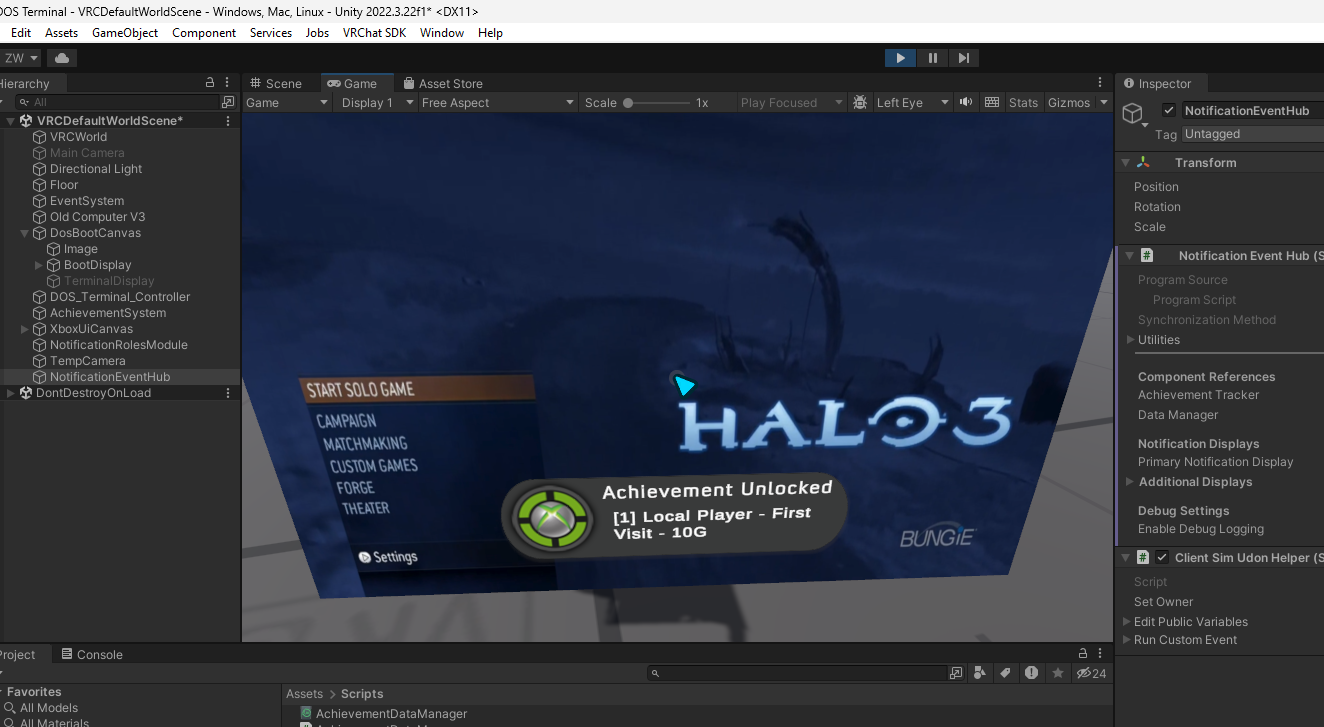
First achievement notification popped in-world today! “First Time Visitor” - the notification banner slides in from the right with that Xbox 360 bloop sound. Feels exactly like it did on the 360.

The FIFO queue, animation timing, and sound cues all working together. This is the moment I’ve been building toward since starting this project.

[![First achievement notification in production](/Manual Change Logs and Images/images/July 2025/First Welcome Message in prod 7 10 25.png)](/Manual Change Logs and Images/images/July 2025/First Welcome Message in prod 7 10 25.png)

[![First achievement unlocked screenshot](/Manual Change Logs and Images/images/July 2025/first achievement unlocked 7 10 25.png)](/Manual Change Logs and Images/images/July 2025/first achievement unlocked 7 10 25.png)

C:\BASEMENT>
MEM: 64K OK
Memory = Page Views
64K0
64K0-63
128K64-127
256K128-255
512K256-511
640K512-639
1MB640-1023
2MB1024-2047
4MB2048+
TIME: 00:00:00