★ MUSIC.EXE: 90% AI-Coded ProTV Integration for Basement OS
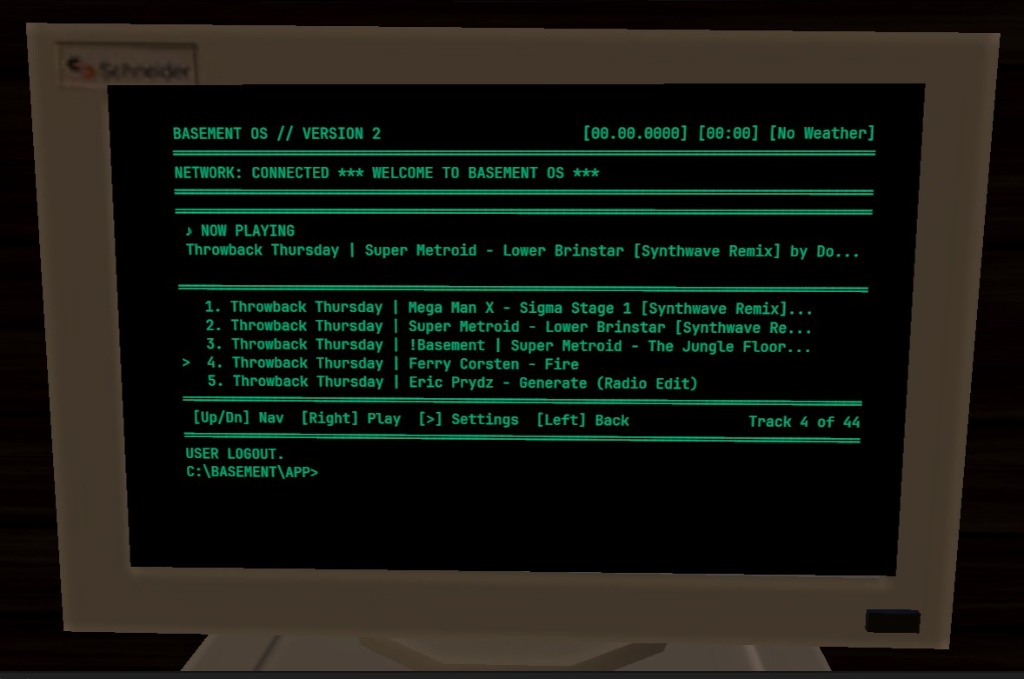
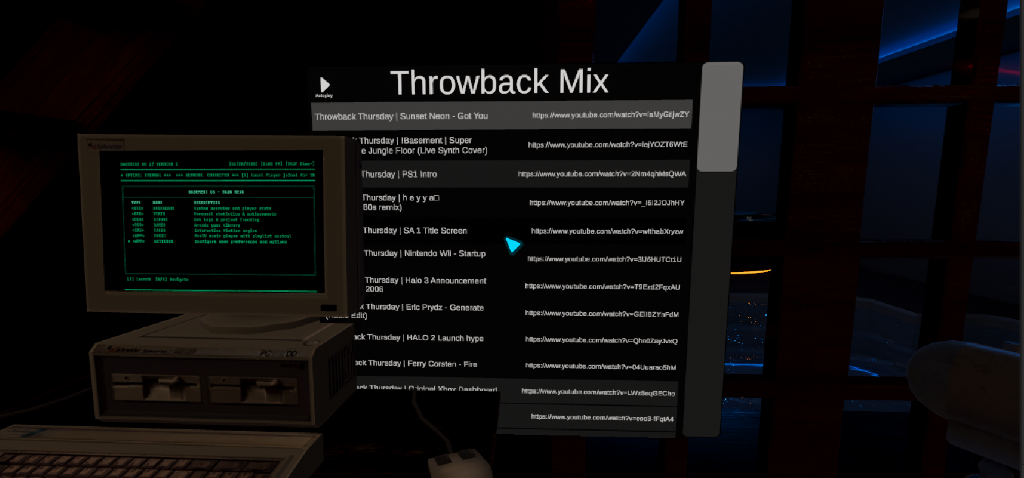
The default ProTV playlist UI worked, but doesn’t match the asthetic of Lower Level 2.0, which is realism and nostalgia. I wanted a terminal-native music player that matched the DOS aesthetic and could be navigated with keyboard or joystick controls. Enter MUSIC.EXE: a fully functional ProTV music player app, coded 90% by AI with my guidance.
The Challenge
The real challenge wasn’t coding, it was picking a task that AI could actually accomplish with its “hands and eyes.” This was the first real test of my Full Stack AI Workflow architecture: could Claude Code, equipped with Unity MCP tools and custom Editor scripts, autonomously implement a complete feature?
ProTV integration was the perfect candidate:
- Well-documented API (ProTV 3.x Documentation)
- Clear input/output patterns (IN_/OUT_ variable injection)
- Isolated scope (one app, one integration point)
The key was creating a multi-layer prompt that gave Claude the domain expertise it needed. Rather than hoping it would figure out ProTV’s non-standard APIs, I front-loaded the knowledge:
You are an expert ProTV 3.x integration specialist for VRChat UdonSharp development. You understand the critical differences between event-driven and polling-based integration patterns, and you know the exact APIs, variable conventions, and pitfalls of ProTV’s plugin architecture.
CRITICAL RULE: NEVER GUESS. If you don’t know an API or are uncertain about ProTV behavior, read the ProTV source, check existing implementations, or ask for clarification. DO NOT hallucinate ProTV APIs.
The Solution
The development spanned December 17-26, 2025, across three sessions:
Session 1 (Dec 17): Initial implementation 497 lines of C# for playlist browsing, track navigation, and playback control. Code compiled, but Claude hit a wall: Unity MCP tools couldn’t set object references in the Inspector.
Session 2 (Dec 25): The breakthrough. Instead of declaring “manual intervention required,” Claude remembered the project’s prime directive: “If you get stuck, can you resolve the roadblock with a Unity Editor script?” It expanded SetupDTAppMusic.cs to handle all wiring autonomously with no Inspector clicks needed.
Session 3 (Dec 26): Final integration. Converted from polling-based to event-driven ProTV integration, fixed the sortView shuffle index mapping, and verified end-to-end playback.
The result: 473 lines of production code, plus Editor automation, delivered with ~10% human intervention (mostly debugging ProTV’s undocumented sortView behavior).
Why It Matters
This proves the viability of full closed-loop autonomous development for non-trivial features:
-
AI as Workflow Architect — The 90/10 split is real. AI handles the bulk of implementation while I focus on architecture decisions, debugging edge cases, and validation.
-
Reusable Agent Patterns — The ProTV prompt I created isn’t throwaway. It becomes a reusable agent/skill for future ProTV integrations. Each solved problem compounds into institutional knowledge.
-
Scalable Approach — If MUSIC.EXE works, the same pattern applies to other Basement OS apps: identify scope, create domain-specific prompts, let Claude execute.
Key Insight: AI might not achieve 100%, but if it consistently delivers 90%, I only need to contribute the remaining 10%. That’s a 10x multiplier on my development capacity.