How an AI Cat Became My QA Tester
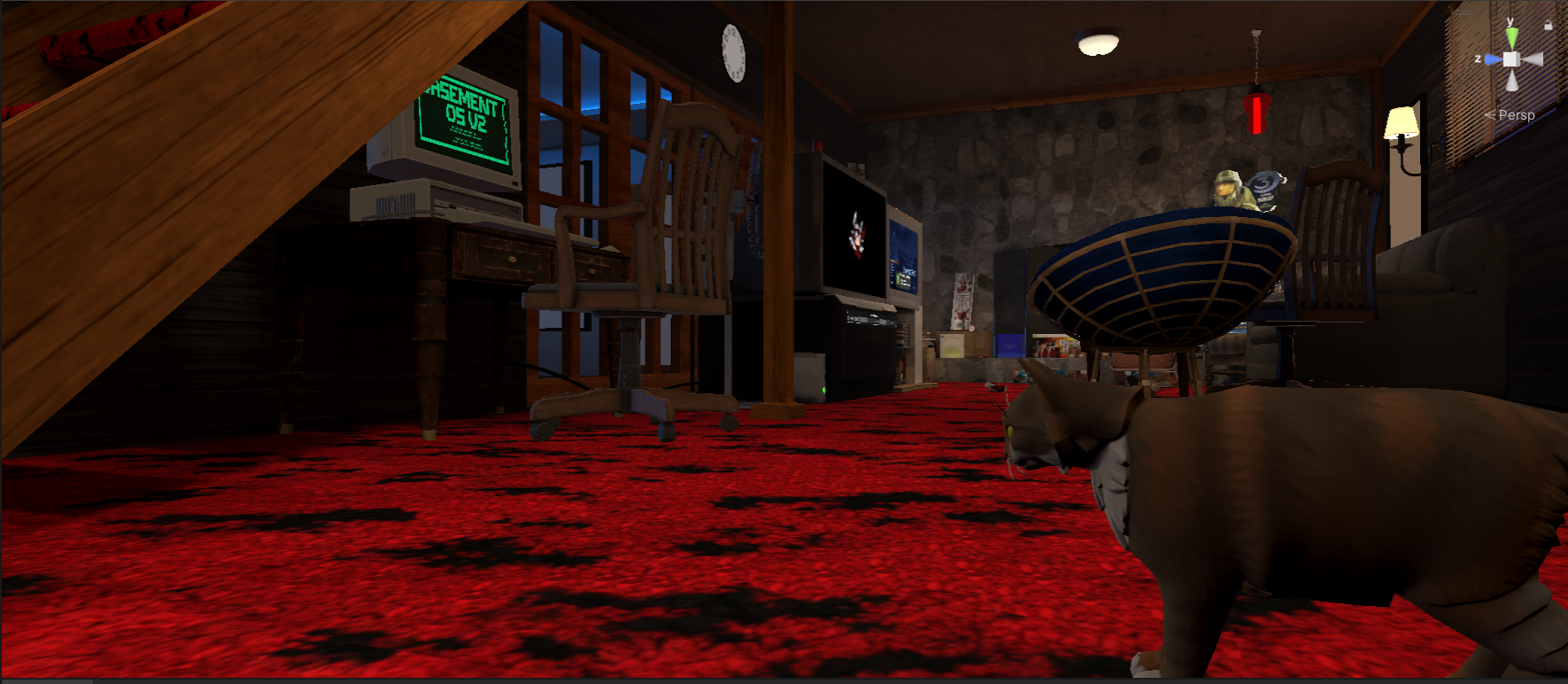 Rags the AI cat exploring Lower Level 2.0 — CRT terminal glowing, Master Chief watching from the papasan chair.
I asked Claude Code to generate a heatmap of my AI cat’s movement patterns, mostly as a joke. What I got back taught me how AI agents actually navigate in Unity — and it’s kind of changing my mind about what’s possible with AI collaboration.
The Setup
Lower Level 2.0 is a nostalgic 2000s basement VRChat world — shag carpet, CRT monitors, a DOS terminal, Xbox achievements. To make the space feel lived-in, I added an AI cat named Rags using the Sisters In Gaming NavMesh NPC/AI System. The idea was simple: a cat that wanders freely around the basement, explores, sits down, stretches, naps in a bed. A living detail that makes the world feel like someone actually lives there.
The implementation worked. Rags walked around, did cat things, responded to petting. But I had no real sense of where the cat was spending its time or whether it was actually reaching all the areas I’d built.
The Experiment
During a pair programming session with Claude Code, I casually asked if it could build a heatmap showing where Rags walks. I expected either “that’s not really possible from an editor script” or some half-working prototype I’d have to finish myself.
Instead, I got two fully functional Editor tools:
- NpcHeatmapTracker — automatically records Rags’ position every 2 seconds during Play mode, writing timestamped coordinates to a CSV file
- NpcHeatmapVisualizer — an Editor window that renders a color-coded density overlay directly in the Scene view, from blue (cold/never visited) through cyan, green, yellow, to red (hot/frequently visited)
Claude implemented it itself using its MCP tool to write and compile the scripts directly in the Unity Editor. I hit Play, let the cat walk, opened the visualizer, hit refresh, and data appeared.
What the Heatmap Revealed
I let Rags run overnight. By morning: 14,446 position samples across 1,200 grid cells.
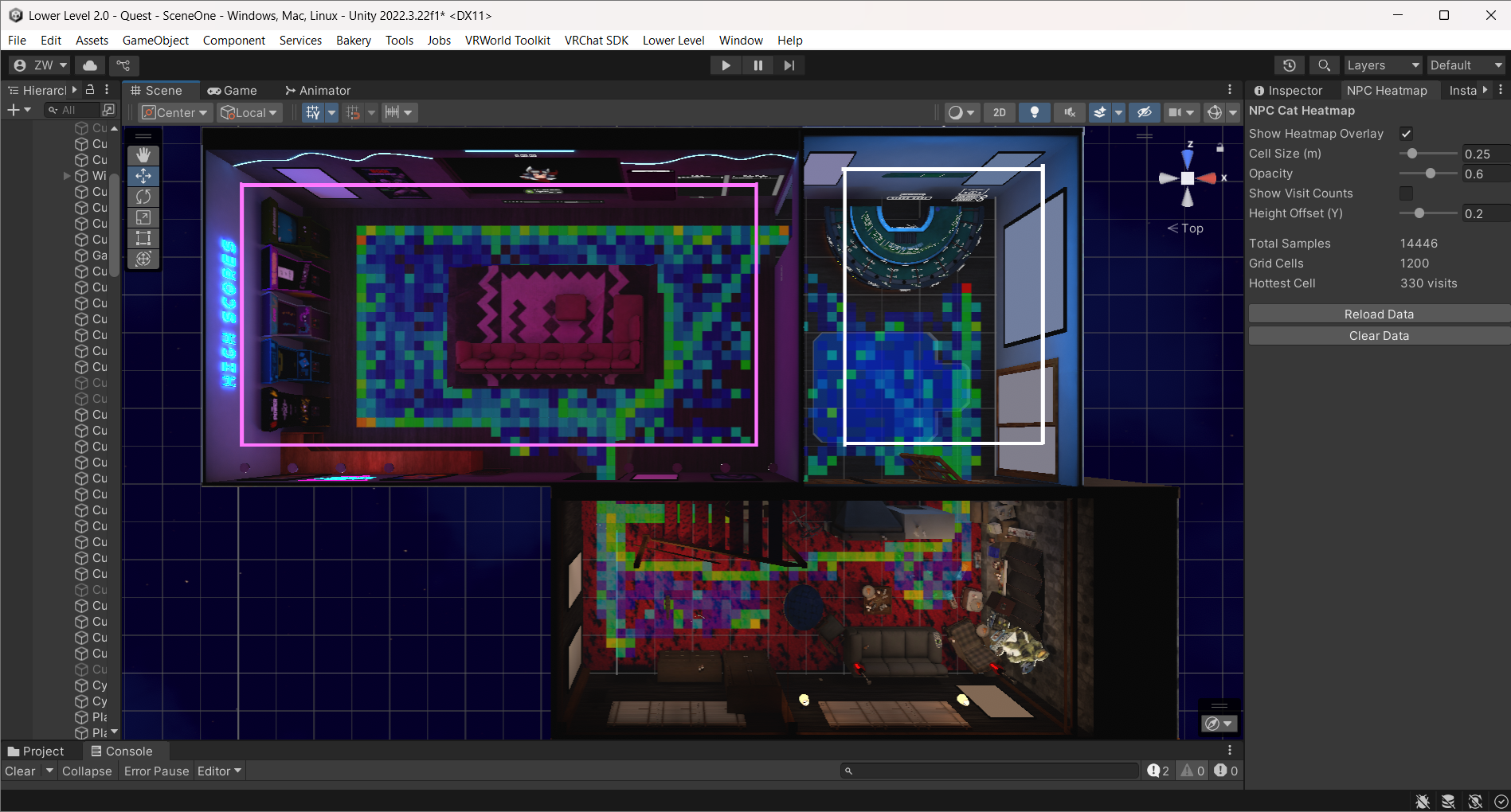 The overnight heatmap: 14,446 samples. Green/cyan areas show regular cat traffic. Blue zones? The cat never goes there.
The visualization immediately told a story. The main living area had healthy green and cyan coverage — Rags was patrolling the carpet, weaving between furniture, visiting the game room. But there were obvious cold zones — the question was why?
The NavMesh Optimization
The heatmap motivated a deeper look at the NavMesh itself. The bake volume’s Y-range was set from -2 to 8 — meaning Unity was generating navigation triangles on walls, ceilings, and elevated surfaces where Rags should never walk.
Shrinking the bake volume to floor-only (-0.2 to 0.8) and removing a duplicate NavMeshSurface component that was stacking bakes cut the NavMesh dramatically:
| Metric | Before | After | Reduction |
|---|---|---|---|
| Area | 637 sq m | 275 sq m | 57% |
| Triangles | 297 | 100 | 66% |
Less geometry for the pathfinding system to evaluate, cleaner paths, and no more phantom navigation surfaces on vertical walls.
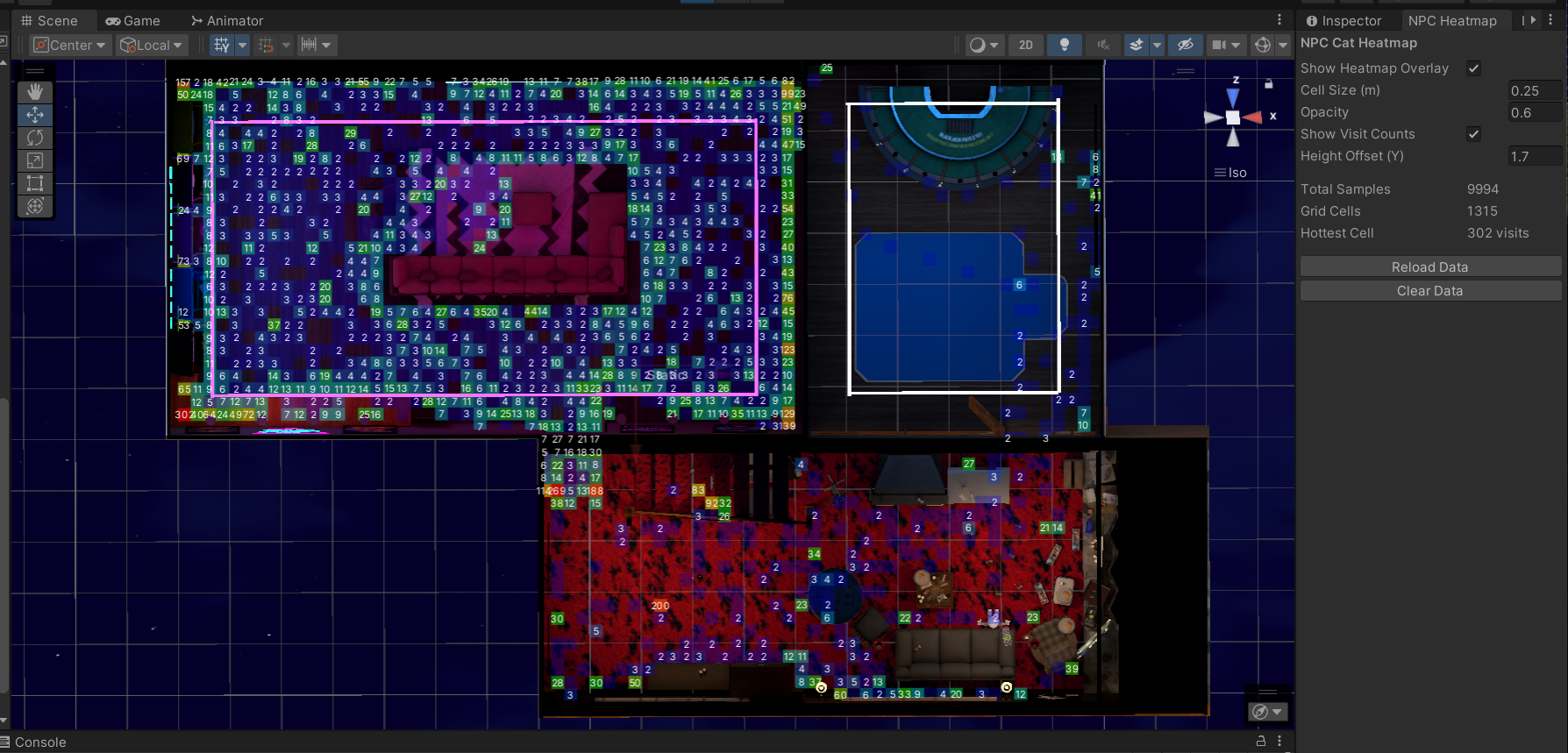 After optimization: cell-by-cell visit counts visible. 9,994 samples across 1,315 grid cells. The hot tub cold zone (white outline, upper right) now correctly shows zero visits.
What Wasn’t Working (Before This)
Traditional approach to validating NPC pathing: load into VRChat, watch the cat for a while, take mental notes, hope you notice if it gets stuck somewhere. Repeat across multiple sessions. Maybe you catch the problems. Maybe you don’t.
The issue isn’t effort — it’s that human observation is terrible at accumulating spatial data over time. You can watch a cat for 30 minutes and have a vague sense of where it goes. A CSV file with 14,000 position samples gives you certainty.
The Principle
I went in expecting Claude to say no. The request felt like a stretch — generating custom Editor tooling for a niche diagnostic need, writing file I/O and Scene view rendering code, integrating with Play mode lifecycle hooks. The kind of thing I’d never build myself because the time-to-value ratio felt too steep for a “nice to have.”
But that calculation was wrong. The heatmap took one session to build, runs automatically with zero setup, and has already found real issues I’d missed. The tool now lives permanently in the project, and I collect data to verify Rags’ behavior.
The broader realization: AI collaboration collapses the cost of building diagnostic tools. Things I’d normally dismiss as “not worth the effort” become trivial to create when you can describe what you want and get a working implementation back. The heatmap wasn’t on any roadmap. It wasn’t a planned feature. It came from a casual “I wonder if…” moment — and it turned out to be one of the most useful debugging tools in the project.
Beyond the Basement
The technique generalizes. Any game with NavMesh agents can benefit from movement heatmaps:
- NPC patrol validation — are guards actually covering the areas you designed them to cover?
- Spawn point auditing — do players cluster in predictable spots?
- Accessibility testing — can all agent types reach all intended areas?
- Performance profiling — where do entities spend compute time pathfinding?
Game studios have used telemetry heatmaps for player behavior analysis for years. What’s different here is the barrier to entry: instead of dedicated analytics infrastructure, I got a working heatmap from a conversation. The cat became an automated level auditor not because I planned it, but because I asked an AI tool to visualize something I was curious about.
Key Insight: The best debugging tools sometimes come from playful experimentation. When AI collaboration makes building diagnostic tools nearly free, “I wonder if…” becomes a viable development strategy.
Try It Yourself
Want to track where your own NPCs walk? The system is two standalone Editor scripts — no dependencies beyond Unity’s built-in NavMesh. Grab the scripts, setup guide, and full documentation from the NPC Heatmap Tool page, or browse all tools on the Skills & Tools page.
Technical details: NavMeshAgent (radius 0.1, height 0.2), position sampling every 2s, logarithmic color scale, CSV storage with crash recovery. Works with any Unity NavMesh project — not VRChat-specific.